
Client portal
Let your clients reply. Without letting go of the playbook.
Your client answers their own leads from a portal with your brand on it. Corty drafts every answer by your playbook, in their voice. You see every reply and step in when needed.
14-day free trial · 150 Neural Credits · 1 client, up to 2 campaigns · no credit card
The problem
Sales is a craft. Most clients don't practise it every day.
A client who answers a hot lead two days late, or pitches when they should book a call, can lose the deal your campaign earned. So most agencies answer for them.
That works, until the client realises the person their prospects talk to isn't them. They lose their own voice with their own leads, and you become a bottleneck for every reply.
How it works
- 01
You set the rules
Your response guidelines, the client's reply playbook, tone of voice and booking link.
- 02
Corty drafts
Every reply gets a draft by your rules, in the client's voice and the lead's language.
- 03
Your client sends
They read it, change a line if they want, and hit send. From their phone if they like.
- 04
You see everything
Each send lands in your Decision Trail: who sent it, from where, which guidelines were used.
Your rules, their voice
Your playbook. Your client's tone. Your client's facts.
The draft your client sees is the same draft your team would see. It's built from your response guidelines and the client's reply playbook, written in the tone of voice of that client, and it only states facts that are in the client's documents.
- Booking link in hot replies, and in warm ones unless your playbook says otherwise
- Written in the language the lead wrote in (12 languages)
- Questions nobody documented are flagged as "Open question", not guessed
Control
You stay in the loop.
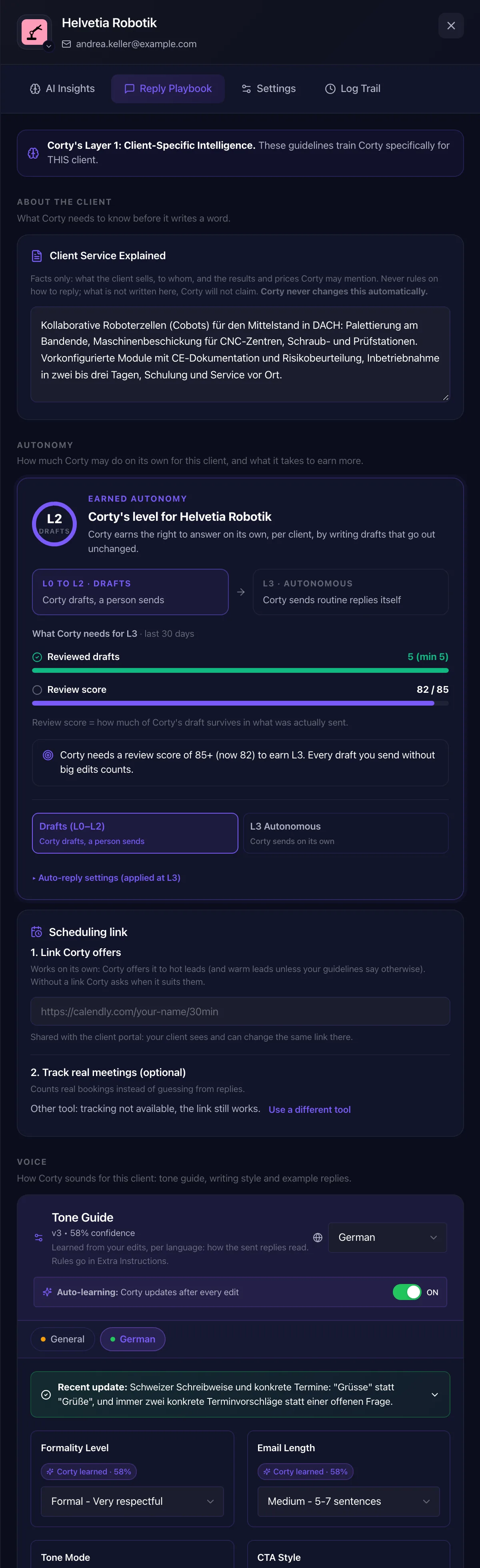
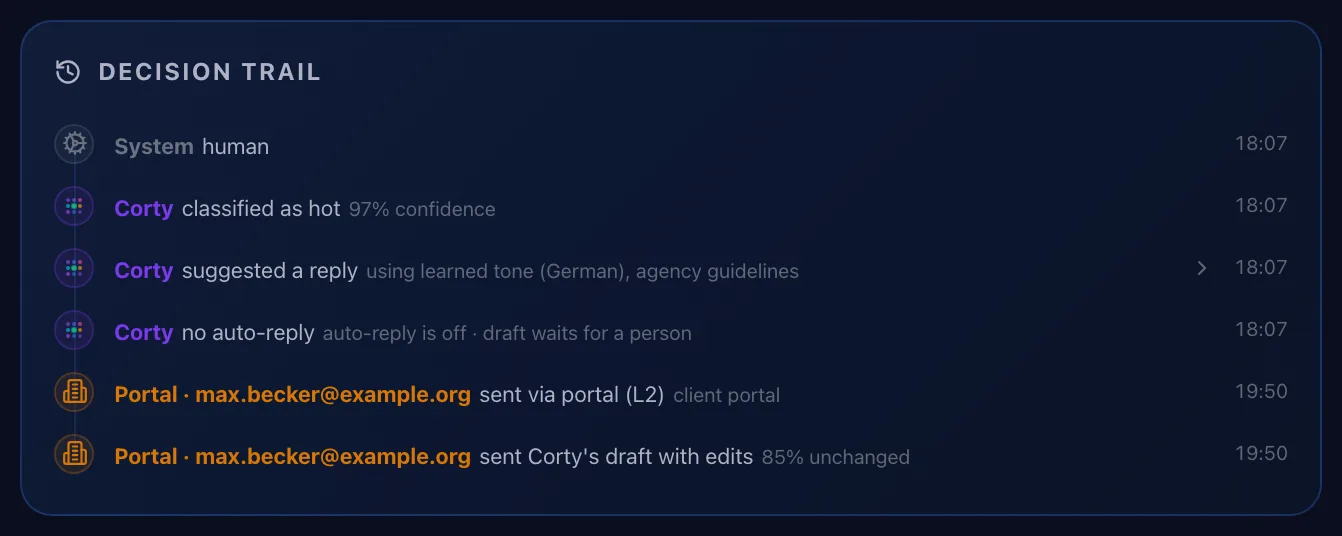
Every reply your client sends appears in your Decision Trail with their name and "via portal". You decide per client whether they can send, and one switch turns sending off for a client entirely: dashboard, portal, Corty and API.
Want to keep answering for some clients yourself? Leave their send right off. They still see their leads and drafts.
Speed
Fast enough to win.
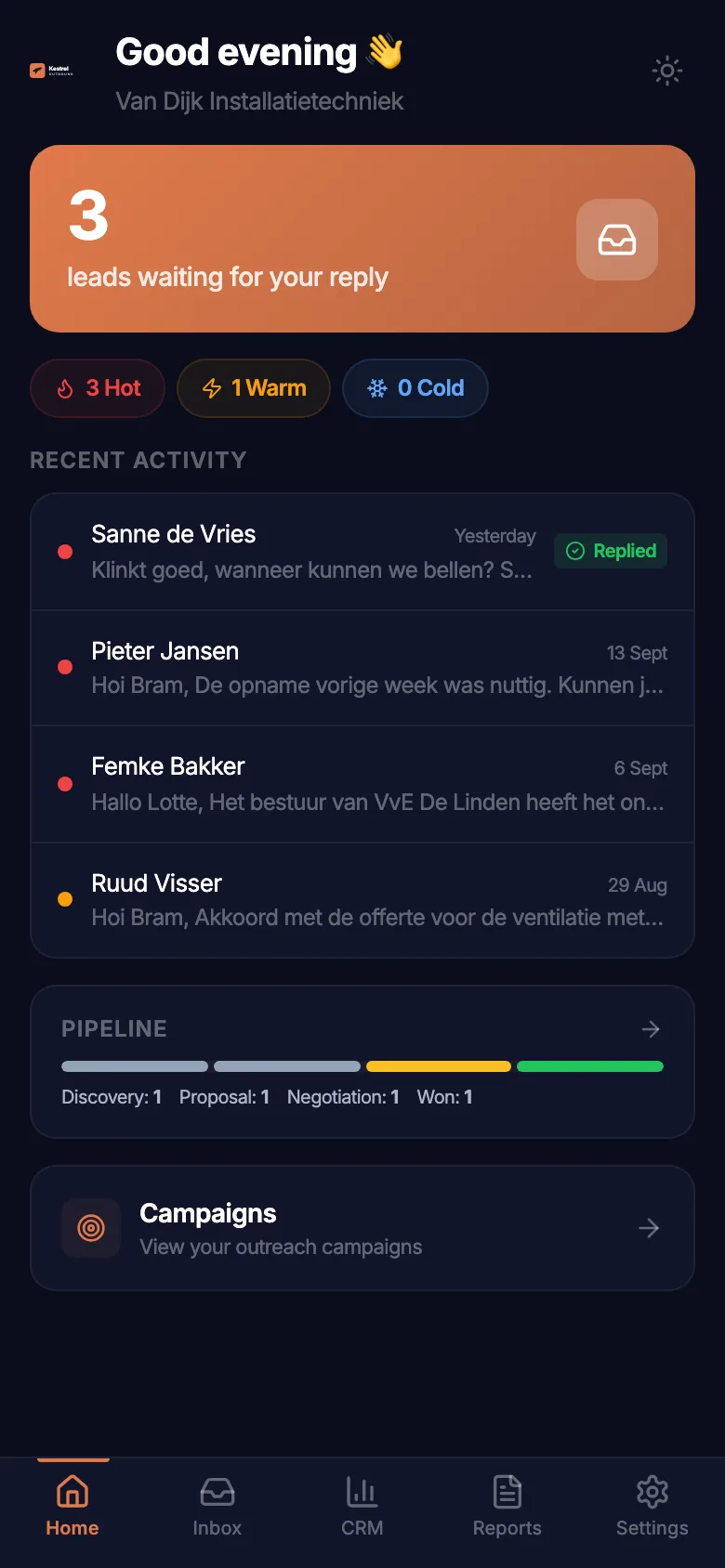
The portal installs on your client's phone like an app. When a hot lead replies, they get a push notification, open the lead and find Corty's draft with the booking link already in it.
They can send it, tweak it, translate the lead's message to English, plan a follow-up, or open WhatsApp when the lead left a phone number.
Proof for the client
Your client sees what the replies are worth.
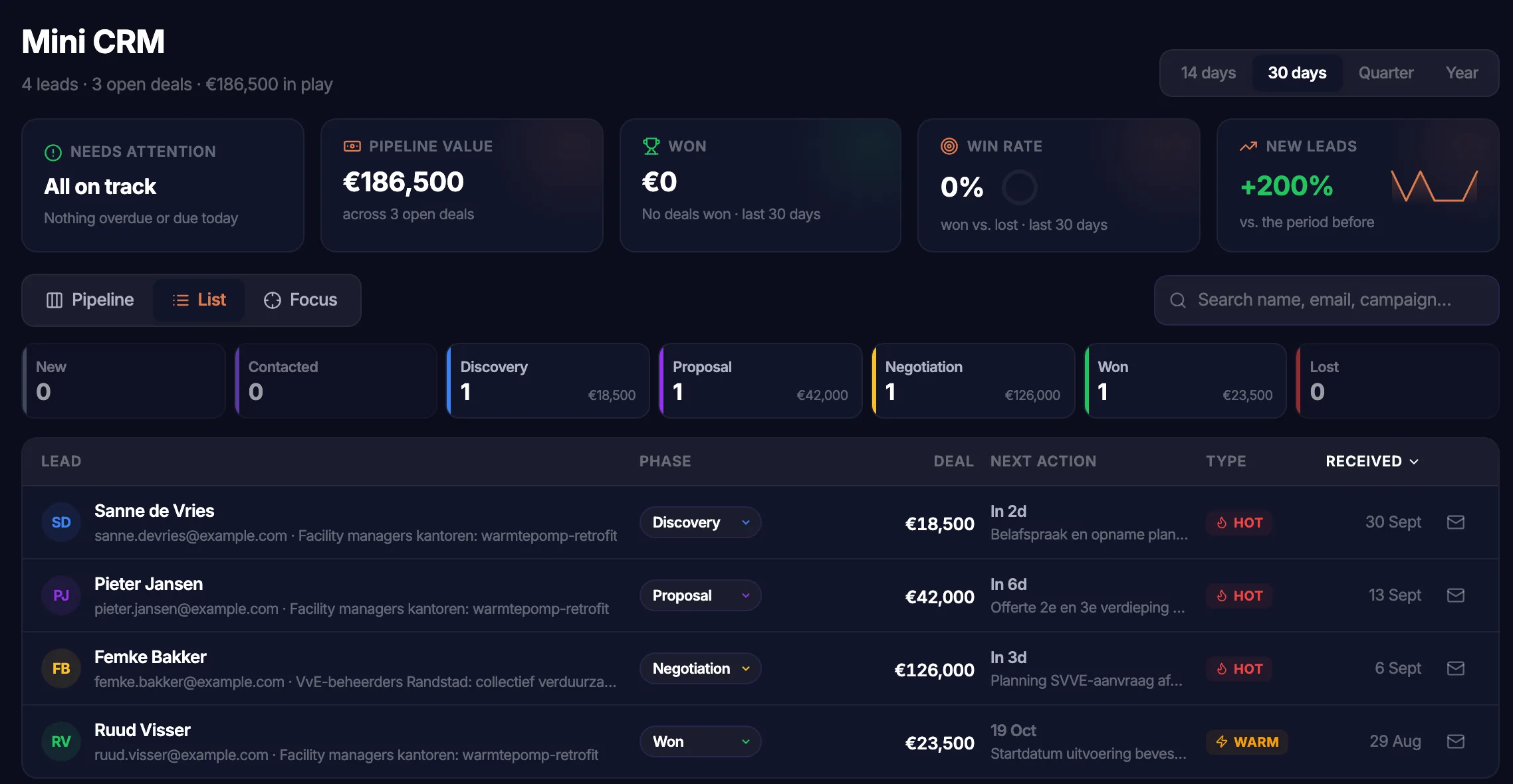
A simple pipeline per lead, from new to won, with a deal value your client fills in. Next to it, a Friday report every week with what was sent, the reply rate and the leads that came in.
It's the conversation you want at renewal time, without building a slide deck.
Branding
Your brand on the portal.
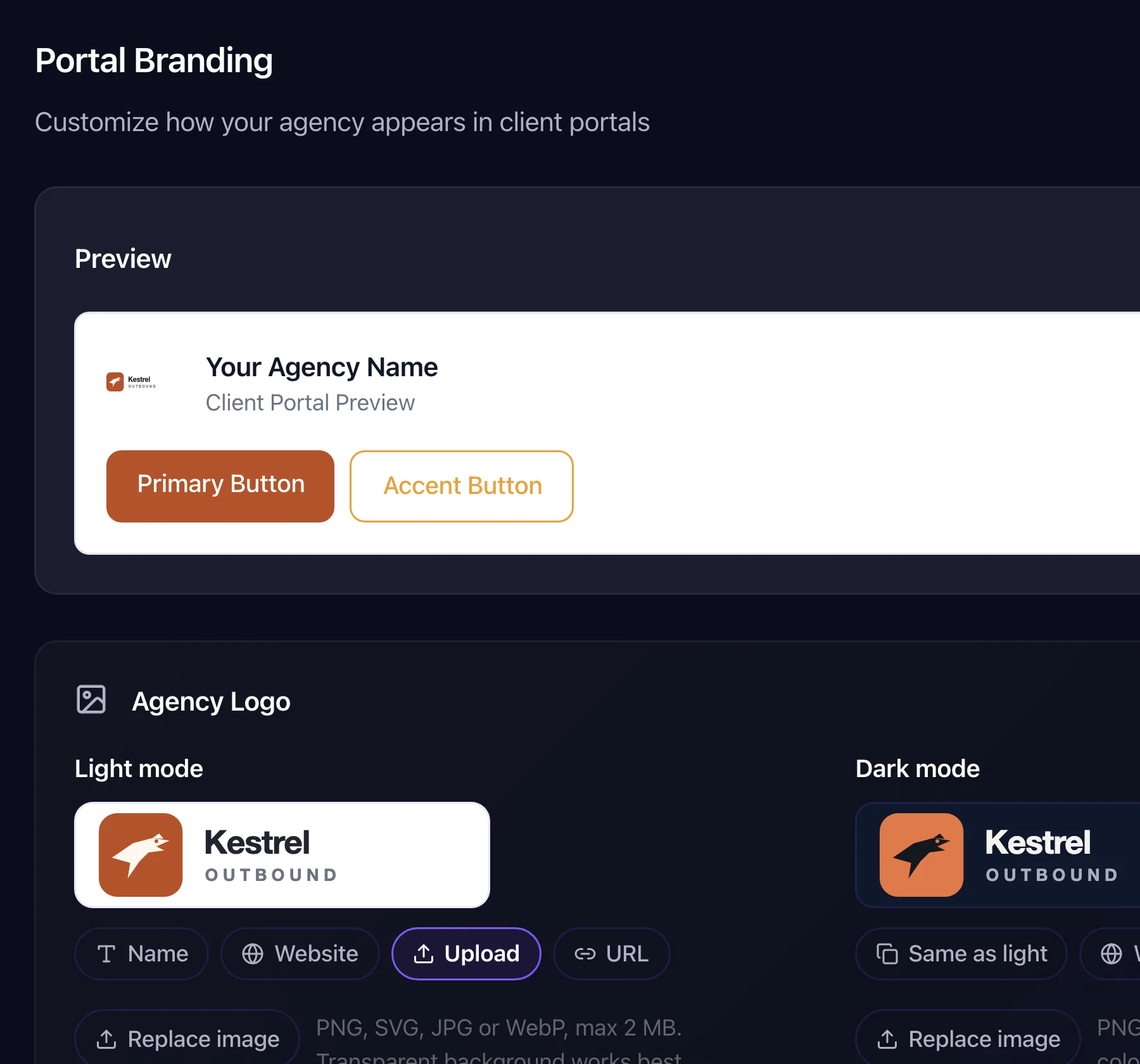
On Pro and Agency, the portal and portal emails carry your logo and colours. Your client logs in to your portal, not to a tool they've never heard of.
Questions about the client portal
Can my client send without my approval?
Today there is no separate approval step for client sends. You decide per client whether the client can send at all (the "Can Reply to Leads" permission), and you can turn sending off for a client completely with one switch. Every reply a client sends shows up in your Decision Trail.
Will my client see SalesLobe branding?
The portal carries your agency's name. On Pro and Agency you add your own logo and colours to the portal and portal emails. Login links are still sent from app.saleslobe.com.
What if my client edits the draft?
What they send is what goes out. The Decision Trail records that the reply was sent from the portal and by whom, so you can see when a client rewrote something.
Does it send from the client's own mailbox?
It sends from the campaign's sending mailbox in Smartlead or Instantly, in the same thread as the lead's reply, with the client's signature added by the system.
Will Corty make things up?
Corty works under hard rules that override every playbook. It only states facts about your client that are written in the client's documents: prices, features, certifications, customers, dates. If a lead asks something those documents don't answer, Corty doesn't guess. It writes a neutral holding line and flags it on the draft as an "Open question" for a person to answer. It never invents meeting times; it offers the booking link instead. Legal and GDPR requests are never sent automatically and always go to a person.
What can my client do in the portal besides replying?
Regenerate or translate a draft, plan a follow-up, forward a reply, open WhatsApp when the lead left a phone number, take a lead over into their own mail app, keep notes, track deals in a simple pipeline and read their Friday reports. You can switch the pipeline and reports off per client.
Works with Smartlead and Instantly. Want Corty to send on its own instead? See autonomy.
Let your clients reply. Keep your playbook.
Connect Smartlead or Instantly and see which replies Corty turns into meetings this week.
14-day free trial · 150 Neural Credits · 1 client, up to 2 campaigns · no credit card