
How it works
From reply to booked meeting.
Corty reads every reply, answers in your client's voice with the booking link, and follows up until the lead says yes.
14-day free trial · 150 Neural Credits · 1 client, up to 2 campaigns · no credit card
Step 1 · Connect
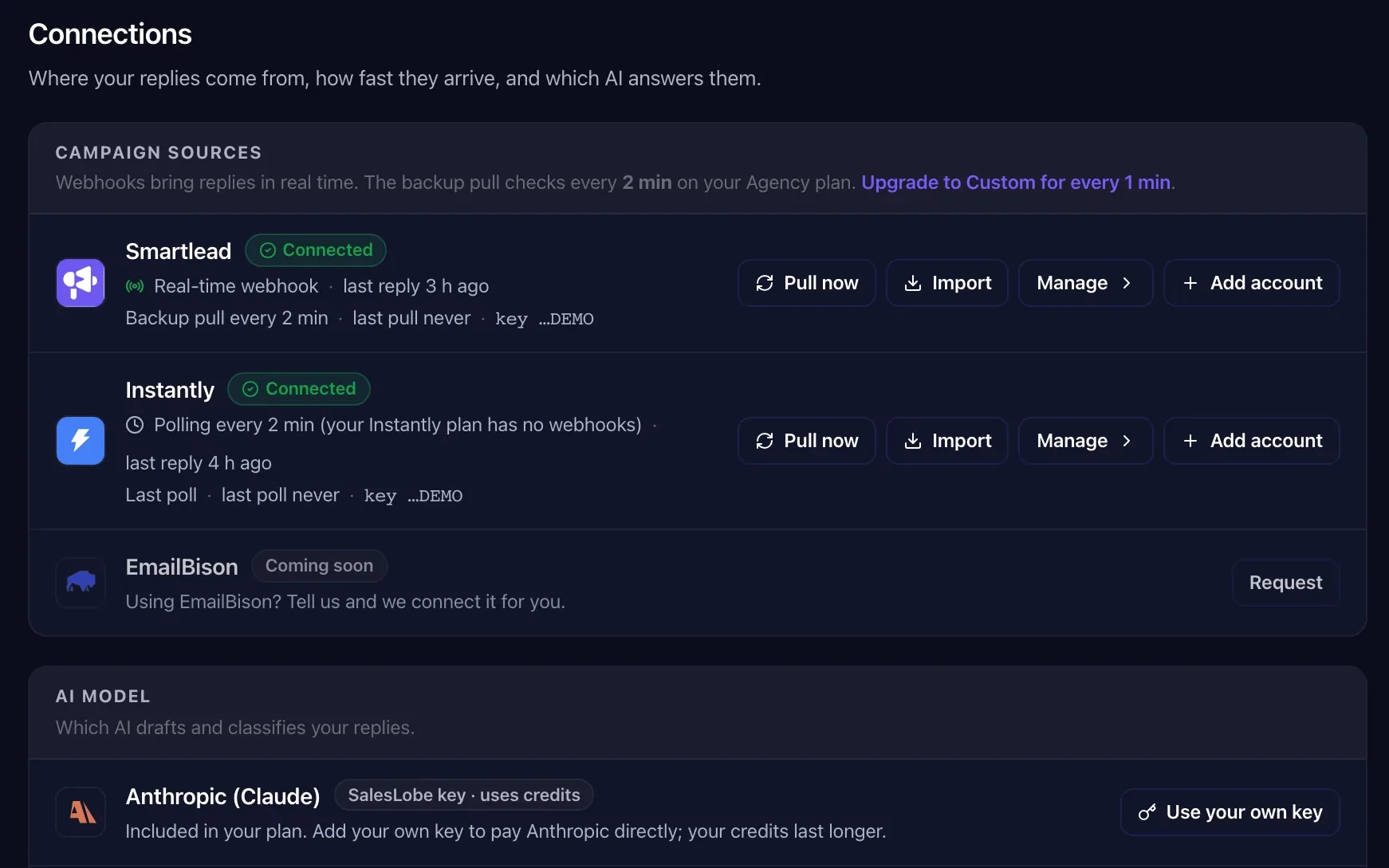
Connect Smartlead or Instantly. Nothing else changes.
Step 2 · Sort
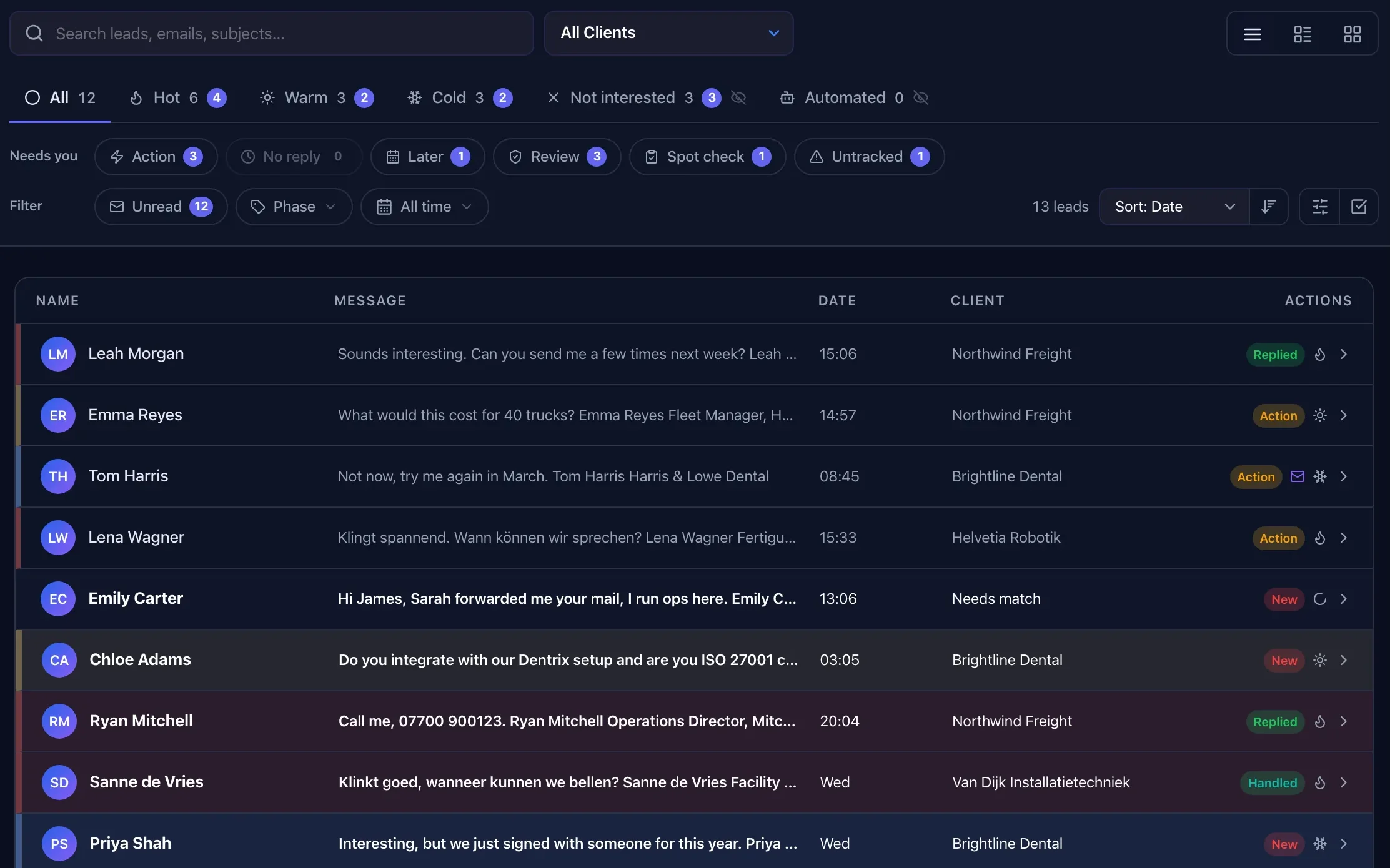
Every reply labelled within seconds.
Unsubscribes are labelled not interested automatically, without an AI call, and bounces and automated replies are set apart. Real replies get a label and a short reasoning: what the lead wants, what the answer should do.
Replies that land outside a campaign (a colleague answering from another address, a forward to the real decision maker, Instantly Unibox "Others") are matched to the right client too.
What happens with each label
"What does this cost for 40 trucks?"
Answered first, booking link in the draft, push to the client's phone if they use the portal.
"Interesting, but we just signed with someone for this year."
Answered, booking link unless your playbook says otherwise, follow-up planned.
"Not now. Maybe after the summer."
Parked with a follow-up date taken from the reply when there is one.
"Please remove me."
No follow-up. You choose per client which labels get a draft. GDPR and legal requests always go to a person.
Bounces, auto-responders, "no longer with the company".
Filtered without an AI call where possible. No draft.
You choose per agency whether "not right now" counts as cold or not interested.
Step 3 · Answer
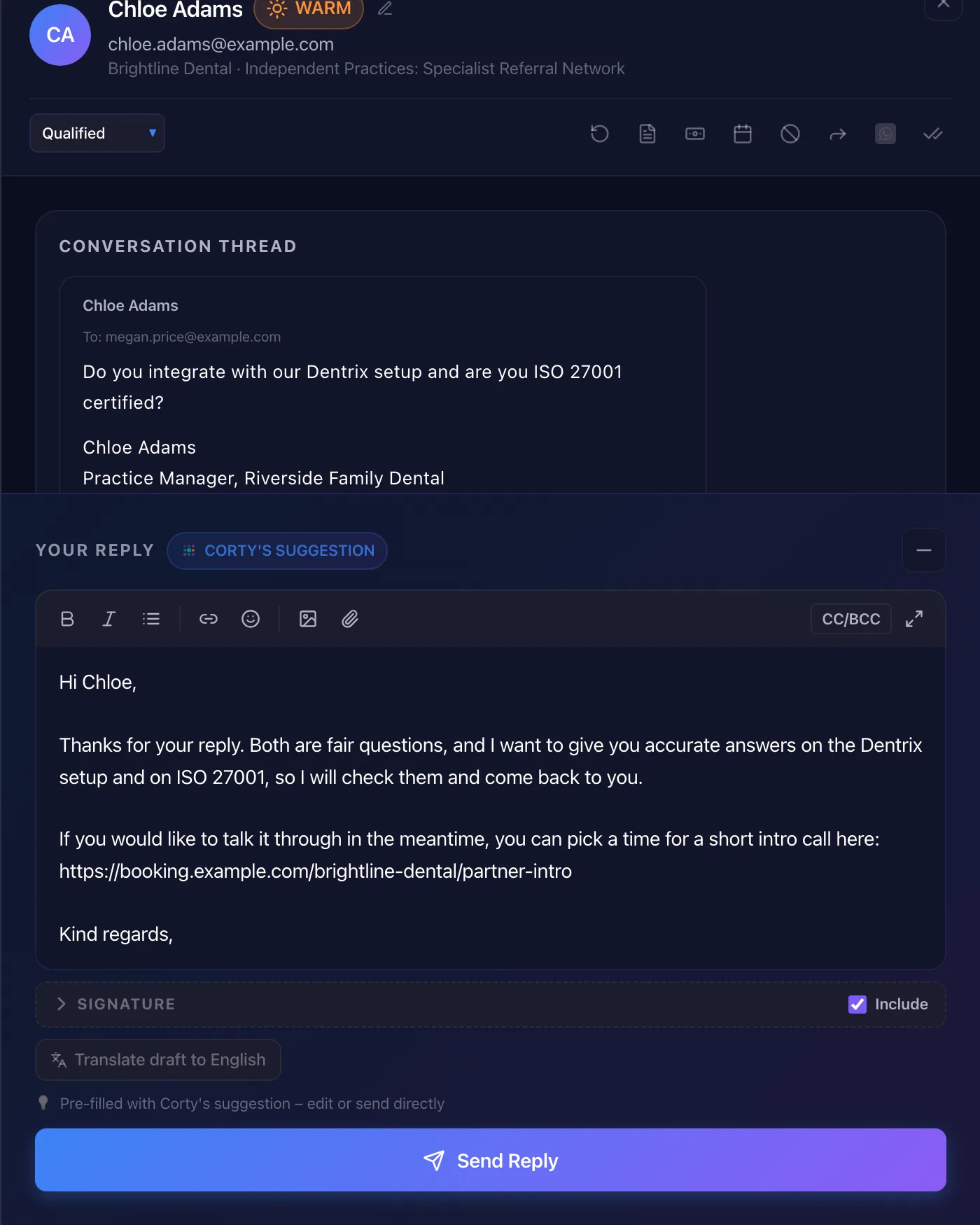
A draft in your client's voice, by your playbook.
Corty stacks what it knows, in order: the client's extra instructions and campaign goal, the tone it learned from that client, the client's reply playbook, your agency's response guidelines, your industry tone guide and brand brief.
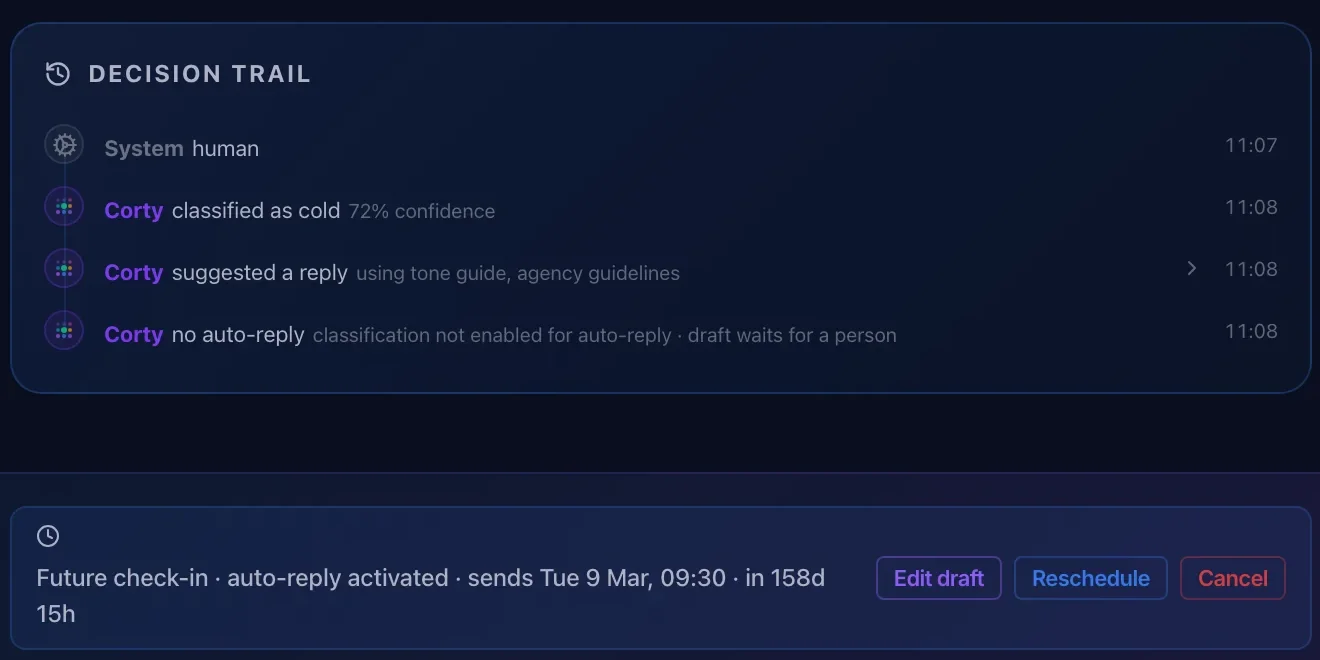
The Decision Trail on every draft shows which of those it used. Documents that are still test text are left out and flagged.
Step 4 · Review and send
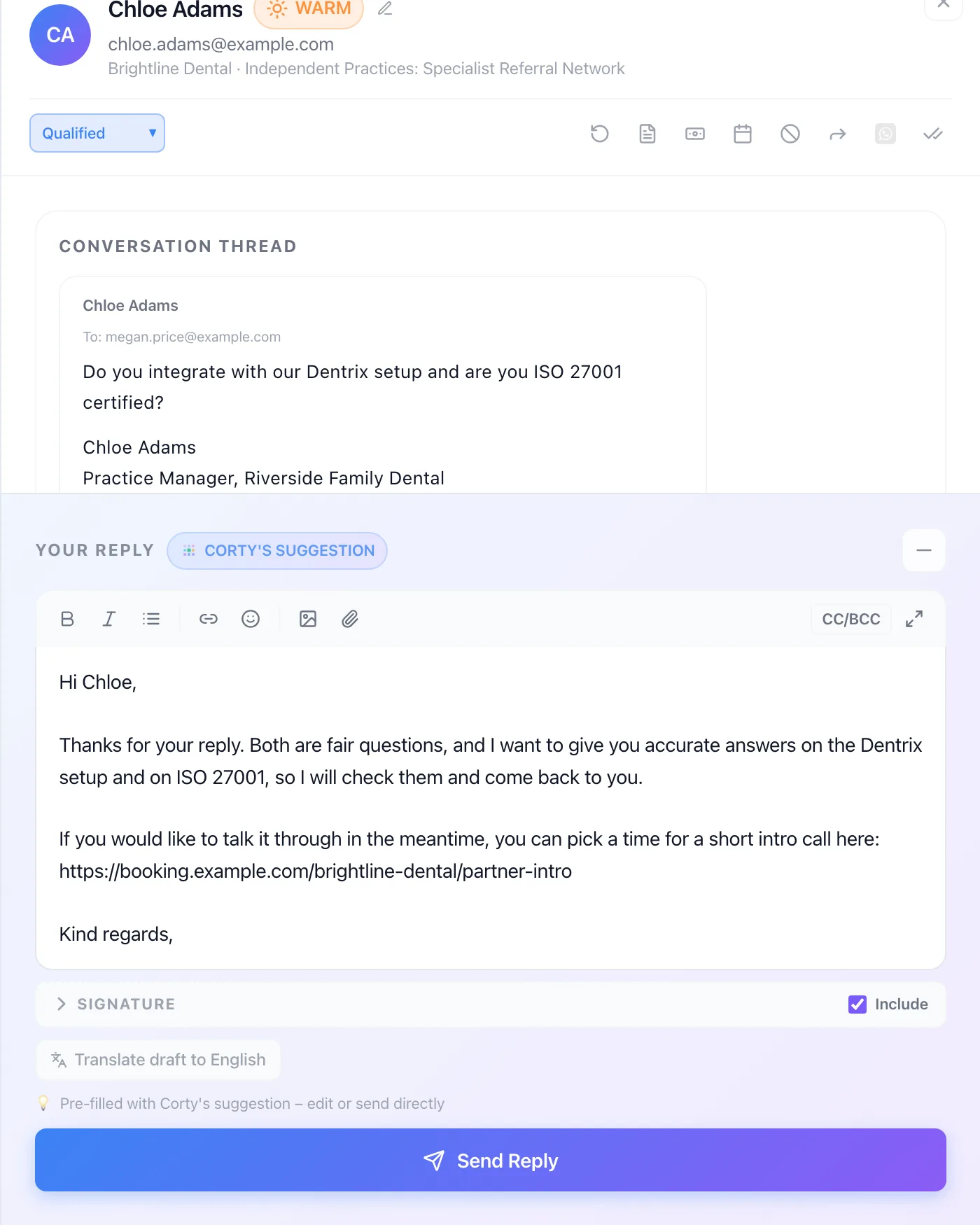
Review what needs it. Sent from the same mailbox, in the same thread.
At L0 every draft waits in the review queue. Once Corty earns L3 for a client, routine replies go straight out and a random 10% is spot-checked. Drafts that sit in the queue for 4 hours are escalated to the owner. More in autonomy.
Approve, edit or let Corty send. The reply goes out through Smartlead or Instantly from the mailbox that ran the campaign, with the client's signature added by the system. In Instantly, attachments go as a secure download link.
Step 5 · Follow up
"Call me in March" gets a call in March.
When a lead names a moment, Corty plans the follow-up for the second Tuesday of that period at 09:30 in the lead's time zone, skipping holidays. Without one, it checks in after 3 working days for hot leads and 5 for warm, Tuesday to Thursday only.
If the lead replies first, the follow-up is cancelled. No follow-ups to not-interested, automated or legal replies.
Step 6 · Report
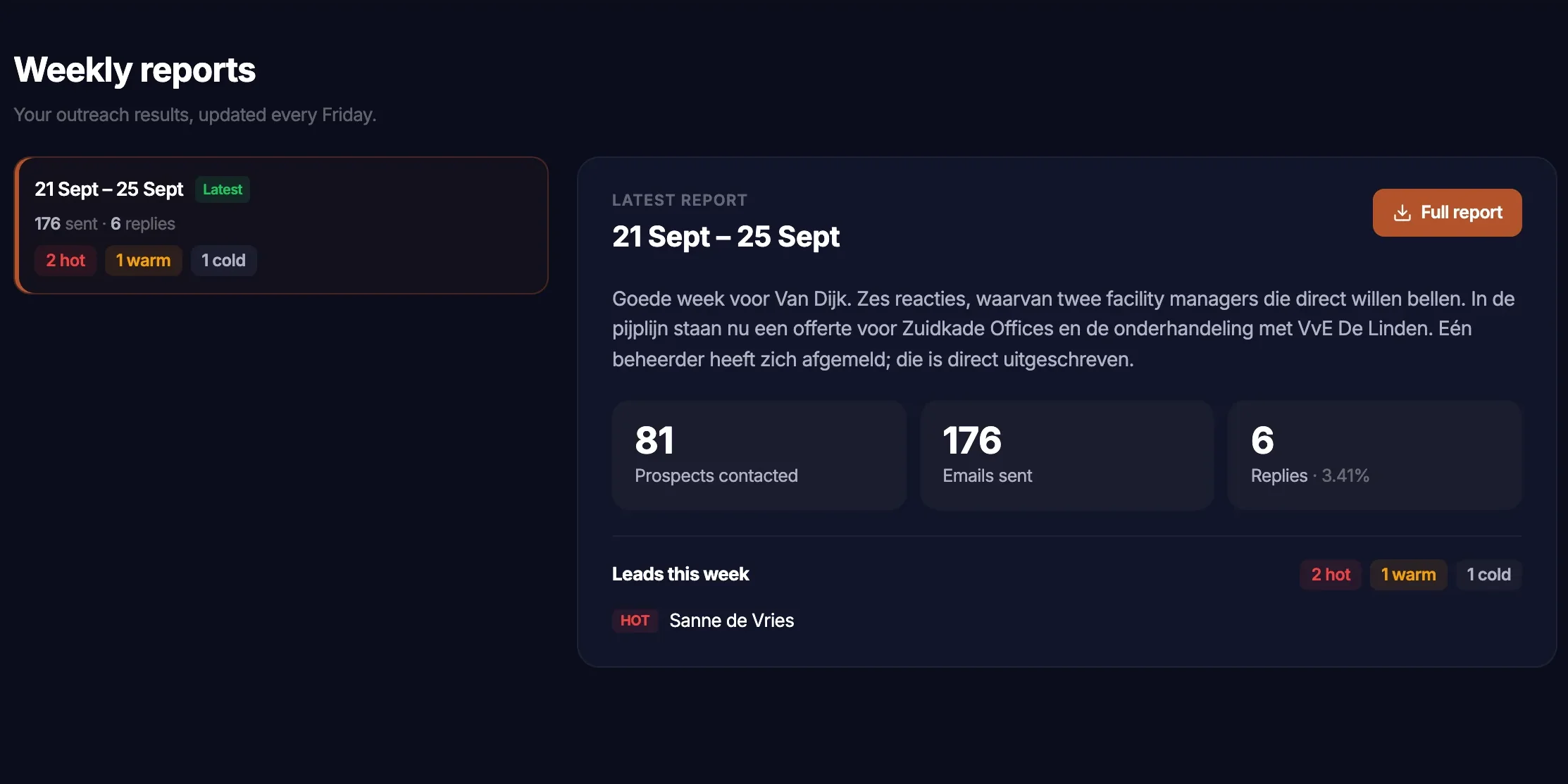
Every Friday, your client sees the week.
A Friday report per client with what was sent, the reply rate, the leads that came in and a ten-week trend, published in the client's portal automatically or after your review.
Questions about how it works
Does SalesLobe replace Smartlead or Instantly?
No. Your sequences, mailboxes and domains stay where they are. SalesLobe picks up the replies, and when an answer goes out it goes through your own sending account in Smartlead or Instantly, in the same thread.
How fast does a reply show up?
Smartlead and Instantly push replies to SalesLobe by webhook as they come in. On top of that a sync checks for missed replies every 15 minutes on Starter, 5 on Pro, 2 on Agency and every minute on Custom.
Will Corty make things up?
Corty works under hard rules that override every playbook. It only states facts about your client that are written in the client's documents: prices, features, certifications, customers, dates. If a lead asks something those documents don't answer, Corty doesn't guess. It writes a neutral holding line and flags it on the draft as an "Open question" for a person to answer. It never invents meeting times; it offers the booking link instead. Legal and GDPR requests are never sent automatically and always go to a person.
Which languages does Corty write in?
The language the lead wrote in. Corty detects 12: English, Dutch, German, Danish, Norwegian, Swedish, French, Spanish, Italian, Portuguese, Polish and Finnish. The client's preferred language is the fallback.
Who sends the reply?
Your team, your client from the portal, or Corty on its own once it has earned autonomy for that client. Whoever sends, it goes out through the same sending account in Smartlead or Instantly.
Same leads. More revenue.
Connect Smartlead or Instantly and see which replies Corty turns into meetings this week.
14-day free trial · 150 Neural Credits · 1 client, up to 2 campaigns · no credit card