
Corty app
Your outbound,
in your pocket.
Like ChatGPT or Claude on your phone, but Corty knows every client, every campaign and every reply. And he can act on them, with one tap from you.
- How are my clients doing this week?
- Which hot leads are still waiting for an answer?
- Pause the Northwind campaign.
- Plan a check-in with Emma for the second Tuesday of March.
14 days free · no credit card · Studio set up with you
No app store. Open app.saleslobe.com/m on your phone.
What you do with it
Run every client from one chat.
-
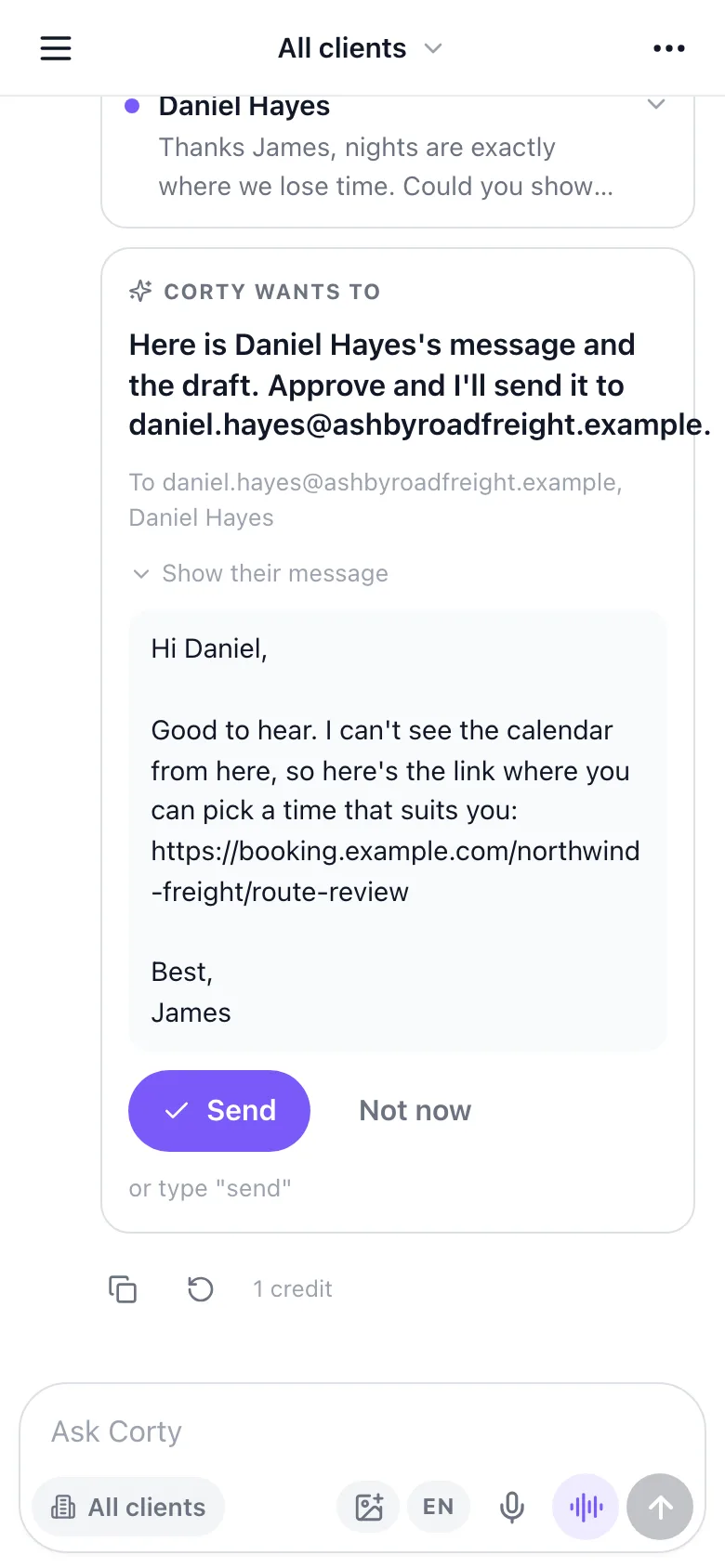
Ask
Ask like you would ask ChatGPT.
The difference: Corty knows every client, every campaign and every reply. You get an answer from your own data, not a guess.
- Answers in a few short lines
- When something needs doing, Corty shows an action card
- One tap to approve. Nothing happens until you tap
-
Talk
Or just say it.
Tap the mic and ask out loud, in the car or between meetings. Corty writes down what you said and answers.
- Voice in English, Dutch, German and Spanish
- Same answers and action cards as typing
-
Inbox
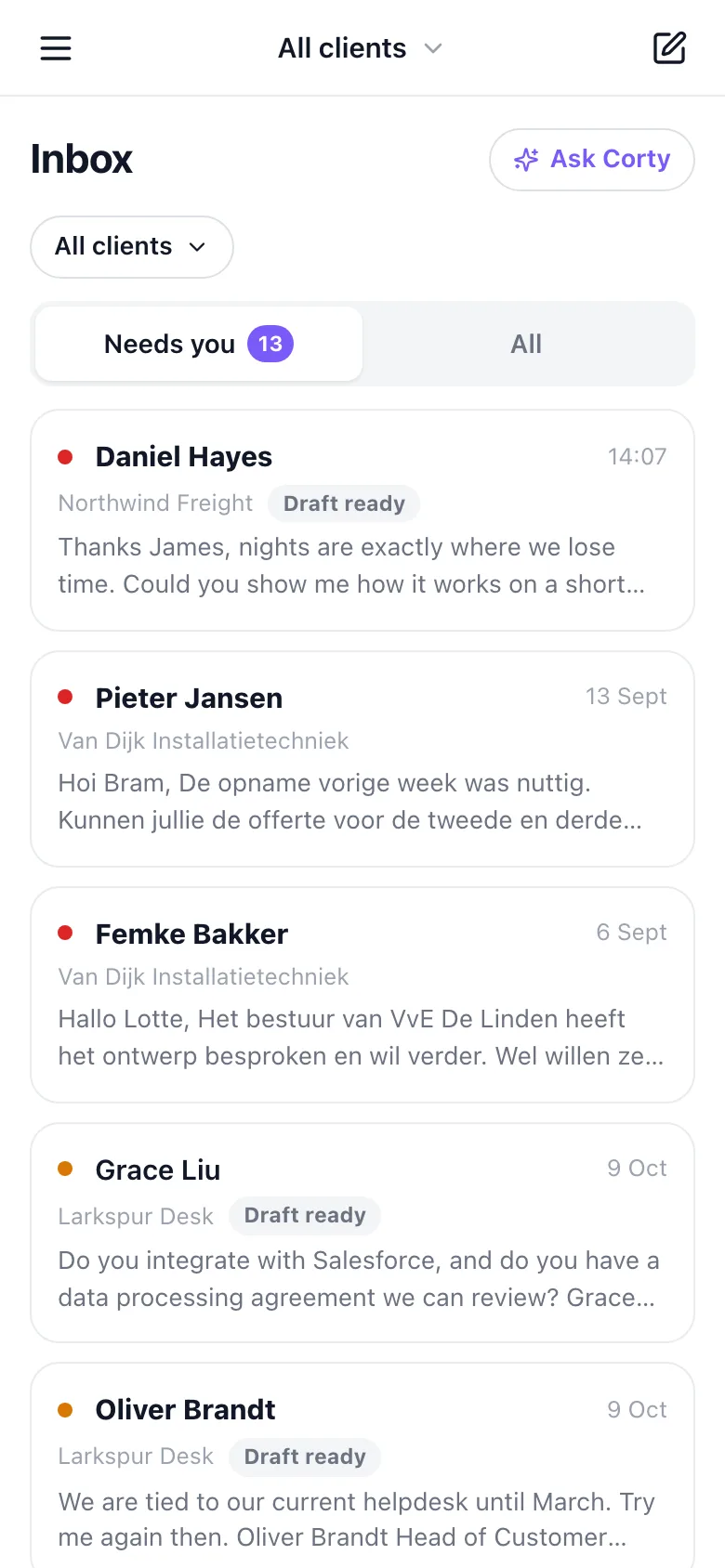
Every hot reply, in your hand.
Open the drawer for the inbox: replies per client, sorted hot, warm, cold, with Corty's draft ready.
- Read the thread and Corty's draft in the client's voice
- Approve it with one tap, or leave it for your team
-
StudioEarly access
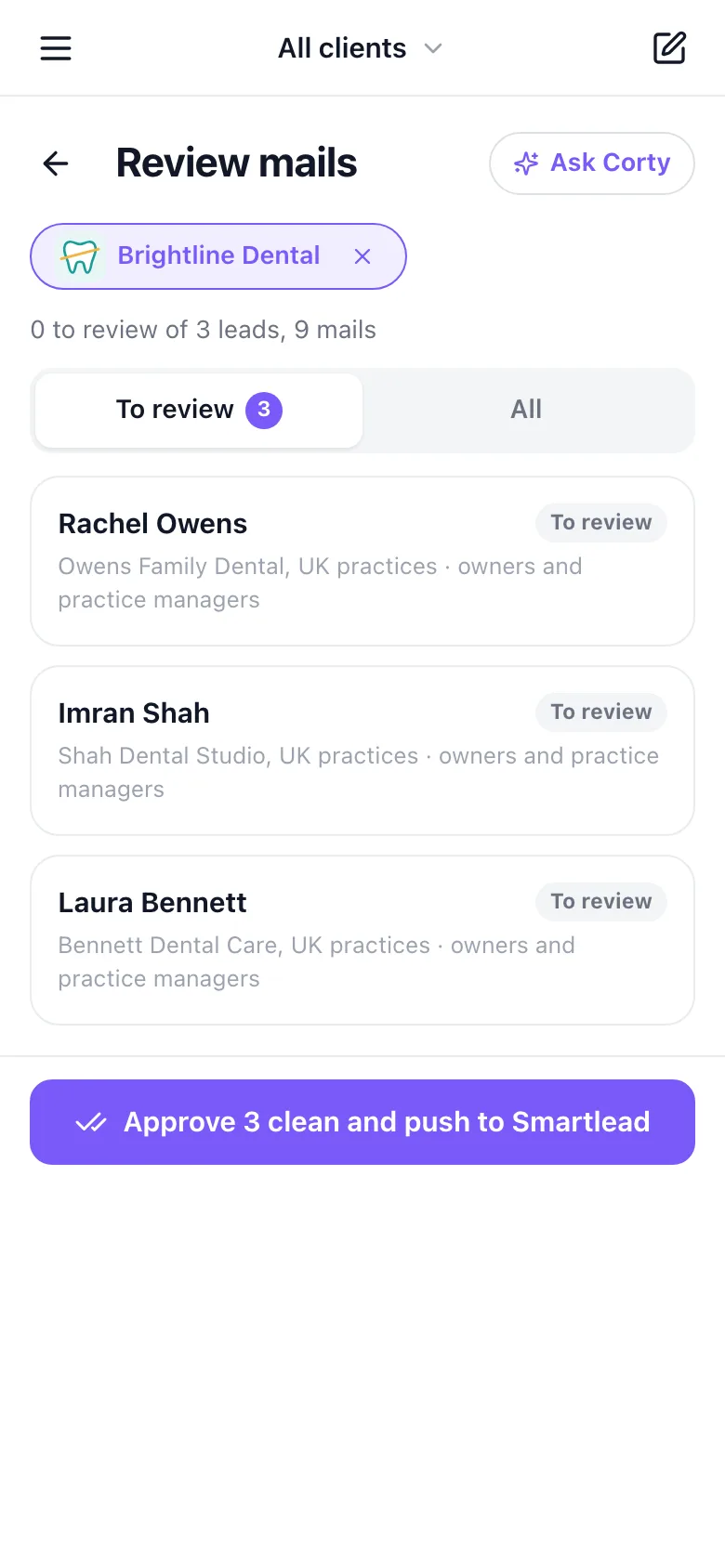
Review a batch on the way.
When Studio has written the next batch, review it from your phone. Every sentence shows where it came from.
- Go through the batch one mail at a time
- A mail with a sentence without a source cannot be approved
-
Reports
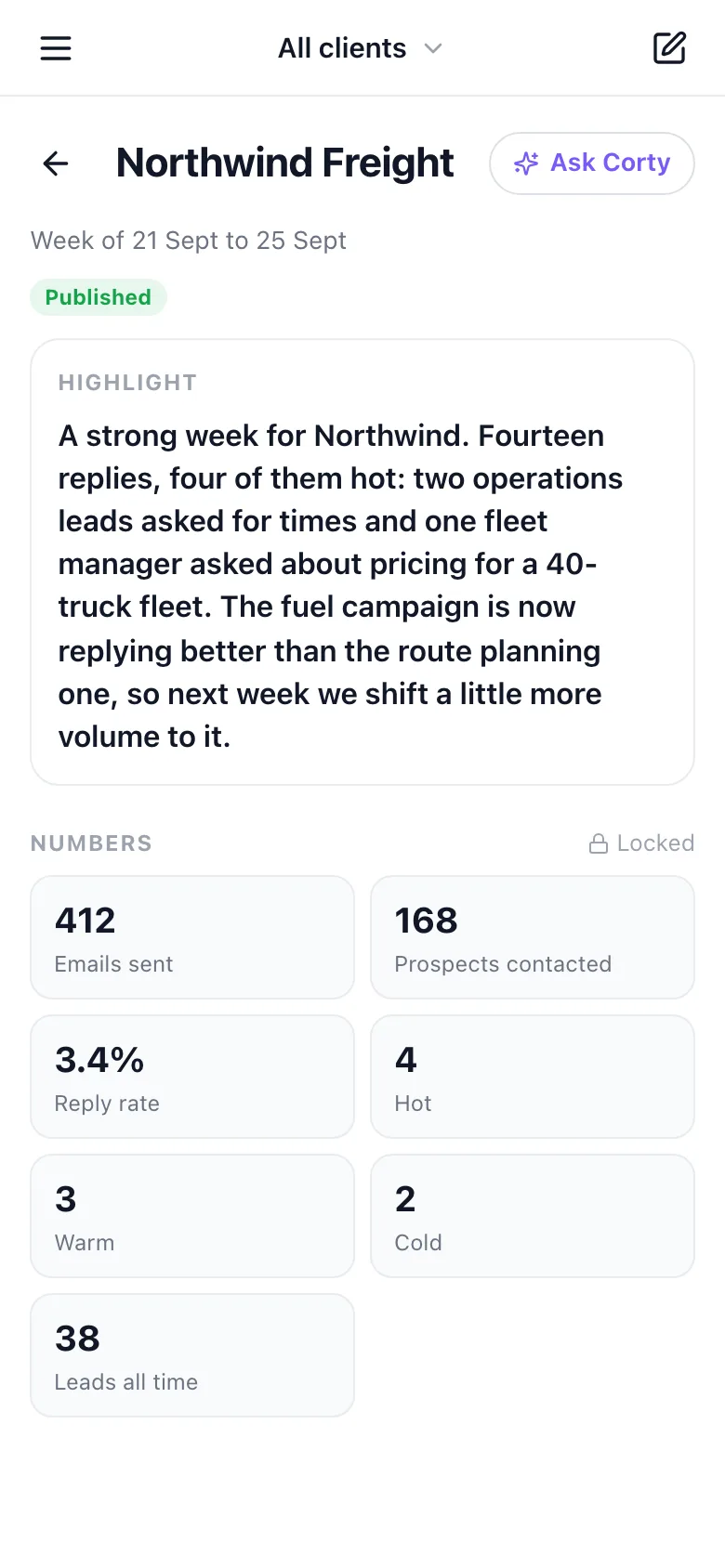
Friday reports, per client.
Each client's week at a glance: mails sent, reply rate, leads and a short summary.
- Every client in one list
- Read it before your client does
Push alerts
Corty taps you on the shoulder.
You don't have to keep checking. The app sends a push when something needs you.
-
A hot lead replies
With the client, the lead and Corty's draft.
-
A Studio batch is ready
Review it when it suits you. Studio is in early access.
-
A Friday report is in
Each client's week, ready to read.
Install
On your home screen in a minute.
- 1
Open app.saleslobe.com/m in your phone's browser.
- 2
Add it to your home screen from the share or browser menu.
- 3
Log in with your SalesLobe account and allow notifications.
No app store, no separate account.
Corty app questions
Is there an app in the App Store or Google Play?
No. Open app.saleslobe.com/m on your phone and add it to your home screen. It installs from the browser and opens full screen like any other app.
Which languages can I talk to Corty in?
Voice works in English, Dutch, German and Spanish. You can type in any language.
Can Corty do something without me tapping?
Not from the app. Every action from the chat shows a card first, and nothing happens until you confirm it. What Corty may send on his own is set per client with autonomy levels, and that is on the record too.
What does it cost?
A Corty chat turn costs 1 Neural Credit, the same as in the dashboard. You can try it during the free trial.
Put Corty
in your pocket.
Start a free trial, connect Smartlead, Instantly or PlusVibe and ask Corty about your replies from your phone.
14 days free · no credit card · Studio set up with you